
A fork of OnlyOffice called Euro-Office has been available for a few months now. Since it seems that many users are switching to this new solution, I decided to test it out for a while as well. Since I don’t use Nextcloud AIO, I had to manually set up a separate Euro-Office instance.
The setup was straightforward. Create a docker-compose.yaml and a .env for your 32 character long JWT secret, and then start the service with docker compose up -d.
services:
  documentserver:
    image: ghcr.io/euro-office/documentserver:latest
    container_name: euro-office-documentserver
    restart: unless-stopped
    environment:
      EXAMPLE_ENABLED: "false"
      JWT_SECRET: ${JWT_SECRET}
    networks:
      - proxy

networks:
  proxy:
    external: true
Add the new service to your reverse-proxy. In my case, I still wanted to keep my OnlyOffice setup, in case I want to go back, so I first created a new subdomain. After about 3h, the new created A record for my subdomain was working.

The only problem I had, was that I could not find “Nextcloud Office” in the Apps list via the Nextcloud Web Interface. Perhaps because I’m still on Nextcloud Version 33.0.9 and Nextcloud 34 is listed as prerequisite in the docs. Therefore, I had to install it via command line.
docker exec --user www-data nextcloud-app php occ app:install eurooffice
It installed the latest Version 11.0.5.
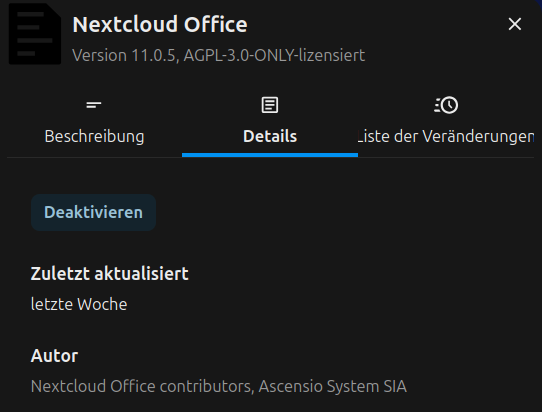
After that, simply add your URL and JWT Secret in the settings.
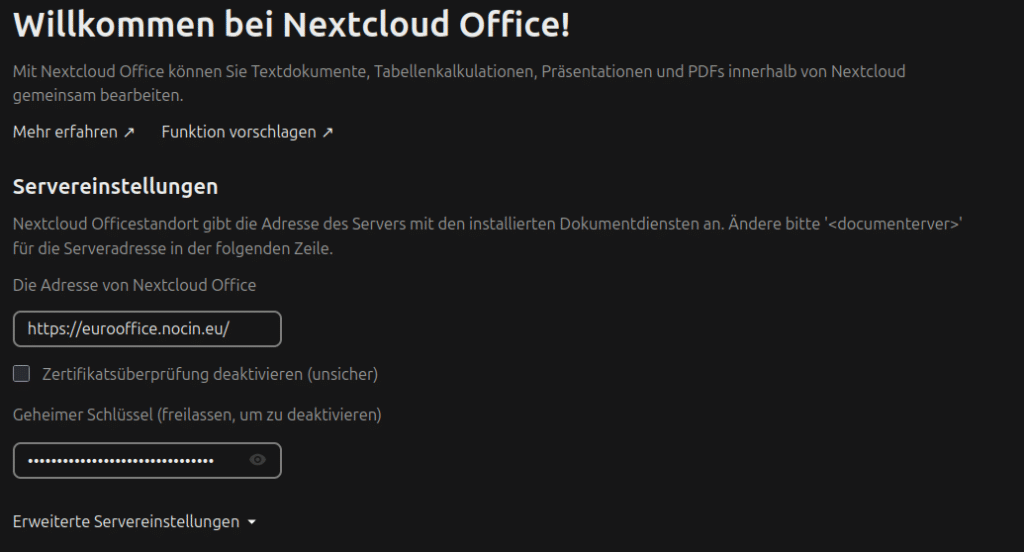
Everything was working immediately. Great!
One nice thing I already noticed, you can edit files on your mobile phone again. This feature had been restricted at some point in OnlyOffice.