Homelab, Linux, JS & ABAP (~˘▾˘)~
 

[FI-TV] Overview: Travel Management & My Travel and Expenses for Business Traveler (F6190)

Collection of useful resources, when working with the Fiori App: My Travel and Expenses for Business Traveler (F6190)

SAP Travel Management for SAP S/4HANA

SAP Help Travel Management (FI-TV)
FI-TV transactions
Reports
Tables
Good to Know: SAP Travel Management for SAP S/4HANA

Related notes:
2719018 – S4TWL – SAP Travel Management in SAP S/4HANA Suite 2022

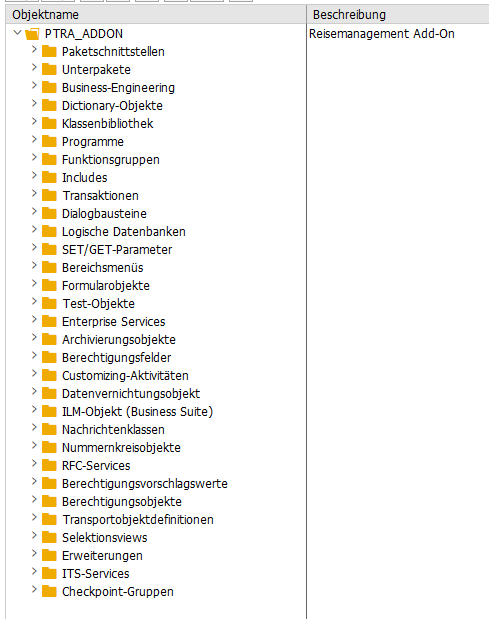
Packet: PTRA_ADDON

My Travel and Expenses for Business Traveler (F6190)

Fiori Reference Library My Travel and Expenses for Business Traveler
SAP Help My Travel and Expenses
App Extensibility: My Travel and Expenses

Related notes:
3267811 – Default Travel Expense Start and End Date and Time settings with Travel Management S/4Hana Fiori application
3591806 – Fiori Apps Travel Management Version 3: Concurrent Employment not available → Helpful Attachment ExtensionTravelProfileVH.pdf
2164524 – Customizing of authorization object P_TRAVL for restricting creating/changing of expense reports
2633200 – Expense reports with and without mandatory travel requests
3406341 – Attachments in S4Hana Fiori apps MTE V3 and MTR V3

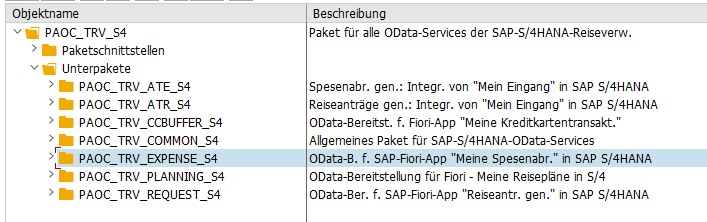
Packet: PAOC_TRV_S4

Workflow

Workflow Scenarios in Travel Management (FI-TV)
Approving a Trip
Standard WF for Approving Trips: WS20000040
Travel Management Workflow FAQ, Common Issues, Known Issues

Related notes:
2576990 – Workflow: Status of a trip after reject or send back for correction → Explanation, why the default workflows are a bit “uncomplete”

[FI-TV] Travel Expense Workflow not triggered

Recently I had to configure the Travel Fiori Apps on a H4S4 System.

My Travel Requests for Business Traveler (MTR)
My Travel and Expenses for Business Traveler (MTE)
My Inbox – Approve Travel Requests
My Inbox – Approve Travel Expenses

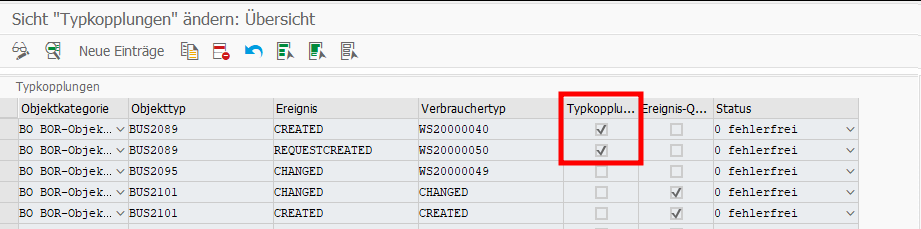
This was pretty easy and after enabling the Apps, I activated the default Workflows WS20000050 (Approve Travel Request) and WS20000040 (Approve Trip) as well. I also checked SWE2 for BU2089 and everything looked good.

But when testing, only the Travel Request Workflow started successfully. When creating a Trip Expense, no Workflow started, instead the Trip Expense directly went to status “Trip Approved” instead of “Trip Completed“. Here you can find an overview of the possible statuses: Trip Status Directory

Initially I thought, this is somehow a Workflow issue or the BUS2089 connection does throw the right event. I also found a note related to this: 2792991.
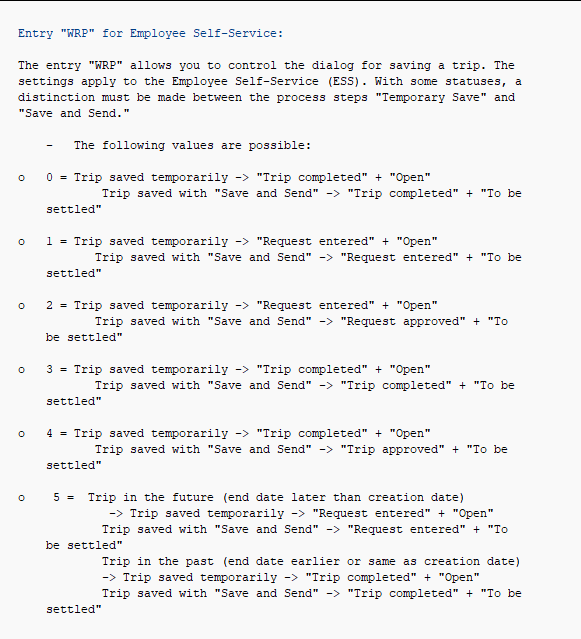
But it turned out to be a customizing problem and the answer was only one click away from the Trip Status Directory in the chapter Trip Status Assignment. Here the Feature TRVPA is mentioned. And when looking into the system and reading the documentation via PE03 I found the following

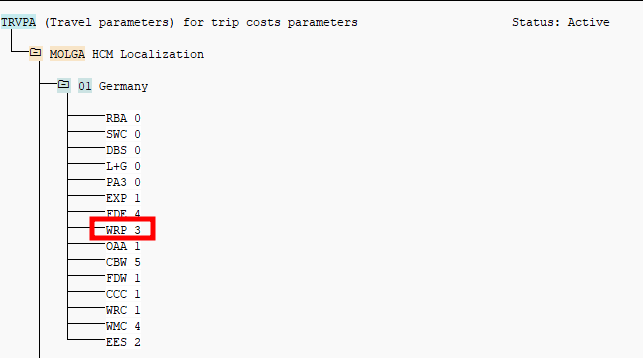
Turned out, for Feature TRVPA and Entry WRP the value 4 was set. After changing it to 3, the right trip status got set and the workflow got triggered.

As always, the solution is quite simple once you know it, but it took quite a while to figure it out.