
Go to https://me.sap.com/app/sappassport, request your certificate and install it in your Browser. Working with the BTP is much more convenient now, as you don’t have to enter your credentials all the time.
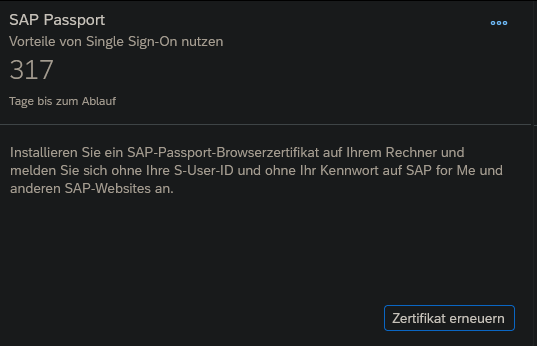
Go to https://me.sap.com/app/sappassport, request your certificate and install it in your Browser. Working with the BTP is much more convenient now, as you don’t have to enter your credentials all the time.
“Shell is a context menu customizer that lets you handpick the items to integrate into Windows File Explorer context menu, create custom commands to access all your favorite web pages, files, and folders, and launch any application directly from the context menu. It also provides you a convenient solution to modify or remove any context menu item added by the system or third party software.”
Disable Telemetry, Onedrive and all other functions you don’t need with O&O Shutup
Source System: SuccessFactors
Target System: Identity Authentication
To assign employees to specific IAS groups, that transformation for the target (in this case the IAS) must be adjusted.
When using ias.api.version 1
            {
                "condition": "$.emails[0].value =~ /.*@abc.com.*/",
                "constant": "DEV_IDP1",
                "targetPath": "$.groups[0].value"
            },
            {
                "condition": "$.emails[0].value =~ /.*@def.com.*/",
                "constant": "DEV_AzureAD",
                "targetPath": "$.groups[1].value"
            },
When using ias.api.version 2
https://help.sap.com/docs/identity-provisioning/identity-provisioning/enabling-group-assignment
         {
            "condition":"($.emails EMPTY false)",
            "constant":[
               {
                  "id":"00f8ab94-a732-48fa-9169-e51f87b8dcd5"
               },
               {
                  "id":"01231139-4711-4a28-8f9d-6745843ef716"
               }
            ],
            "targetVariable":"assignGroup"
         }
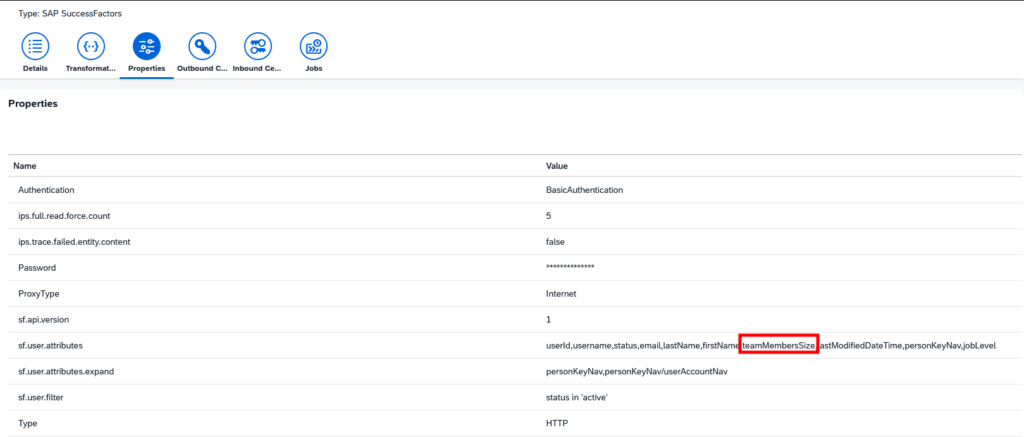
Update 10.03.2026: If you want to use an SF field, that is currently not synced, it must be added on the source system sync. First on the Properties tab on sf.user.attributes and then it can be used in the transformation of the source system (in this case SF).
            {
                "sourcePath": "$.teamMembersSize",
                "targetPath": "$['urn:sap:cloud:scim:schemas:extension:sfsf:2.0:User']['teamMembersSize']"
            },
https://nodejs.org/api/buffer.html
const buffer1 = Buffer.from(ArrayBuffer)
const buffer2 = Buffer.from(Uint8Array)