
You can use the SAP_WAPI_CREATE_WORKLIST function module to display all workitems that are currently in a user’s inbox. This is very useful, as you cannot use the “on behalf of” function in MyInbox.
Tag: workitem
[Workflow] How do delete a Workflow in status COMPLETED
While searching for a way to delete a workflow, I came across this blog post: https://community.sap.com/t5/technology-blogs-by-members/how-to-logically-delete-workflows/ba-p/12991725
Unfortunately, logically deleting workflows is only possible when the workflow is not in the status COMPLETED.

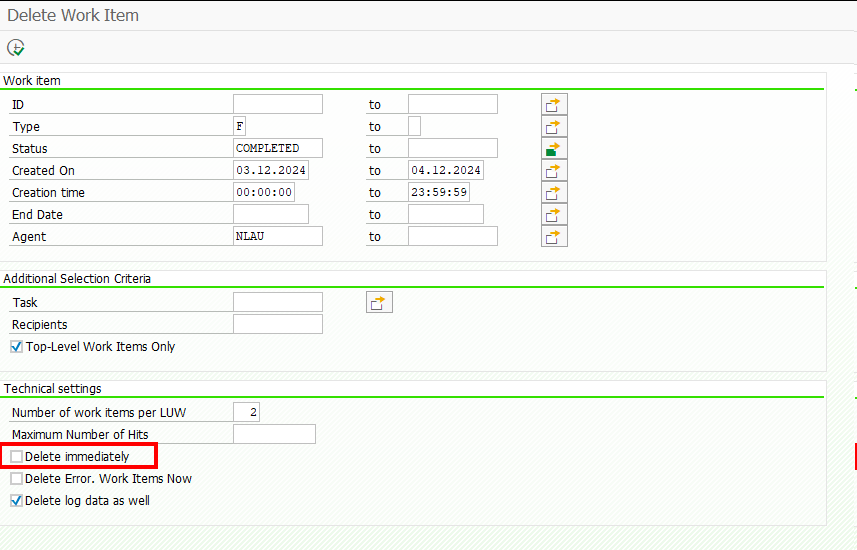
Since my workflow was already in this state, I had to find another way, and found it with transaction code SWWL. Simply find the unique Identification of the top level workitem via t-code SWIA and then use it in SWWL. When running the report, you will first get a list, then simply select the result items you want to delete and hit the trash icon, or restart the selection and check the flag for Delete immediately.
[Workflow] Get all Workitems and Workitem Container related to a pernr
If you have connected any workflows to a pernr via BUS1065 (like it is described here), you can receive all related workflows/workitems related to this pernr via the following code:
    NEW cl_def_im_com_bsp_workflow( )->if_ex_com_bsp_workflow~read_workitems_for_object( EXPORTING iv_swo_objtype = 'BUS1065'
                                                                                                   iv_swo_objkey  = CONV #( lv_pernr )
                                                                                         IMPORTING et_workitems   = DATA(lt_workitems) ).

    LOOP AT lt_workitems ASSIGNING FIELD-SYMBOL(<workitems>).
      "If you are only interested in specific workflows, you could filter here
      "WHERE wi_rh_task = 'WSxxxxxxxx'
      "AND   wi_stat    =  'STARTED'.

      NEW /iwwrk/cl_wf_read_workitem( <workitems>-wi_id )->get_wi_container( IMPORTING et_wi_container = DATA(lt_wi_container) ).
      " access container items via lt_wi_container[ element = 'IV_PERNR'  ]-value

    ENDLOOP.
[Workflow] You are not one of the possible agents of task ‘&1’
The Function Module SAP_WAPI_START_WORKFLOW uses RH_TASK_START_CHECK to check, if the calling user is allowed to start the Workflow.
In it RH_TASKS_TO_START is used to read the WF and Task IDs which the user is allowed to call. But it uses a buffer and if you just did some changes to the Workflow Classification, i.e. setting it to General Task,
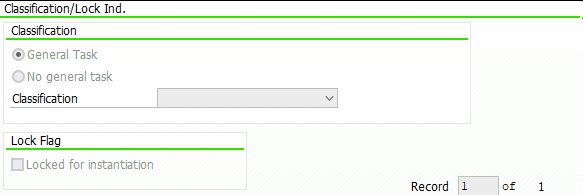
it can be that this check will continue to fail as it is reading old data from the buffer.
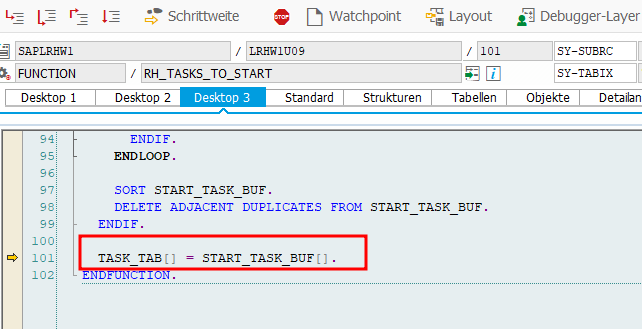
You will receive an error message from Message Class WZ: You are not one of the possible agents of task ‘&1’

I had this problem sometimes when transporting objects to the next system, but until now I could not figure out when it happens and when not.
Luckily the solution is pretty simple, just call T-Code SWU_OBUF and do a buffer refresh/synchronization.
Rob Dielemans has explained the cause very well here.
[ABAP] Read ACTION_COMMENTS from a Workitem
If you want to use the decision note / action comment of a Workitem in a mail step, you have to write a method to read the comment and then pass it to the mail step. To do this, I always create a method in my Workflow helper class called READ_DECISION_NOTE with the following parameters:

For the importing parameter, you must store the Workitem ID of your Decision Step in you Workflow Container, by creating a Container Element like DecisionWIID of type SWW_WIID and fill it with the Workitem ID of your decision step. Then use it later for calling your method READ_DECISION_NOTE.
Regarding the exporting parameter; If you want to send a mail via class cl_cbs you’re a fine reading the comment as string. But if you want to use the default workflow mail step, and you are expecting comments with more than >255 characters, you will need the comment as SOLI_TAB.
If you take a look at the decision Workitem, you will properly find the Attribute ACTION_COMMENTS, which is of type SWC_VALUE and is of type char with length 255. But this is only the case, if the entered text has less than < 255 characters.

If the user entered a text with more than 255 characters, the text is split and there are more elements named with ACTION_COMMENTS_1, ACTION_COMMENTS_2 etc. (Note 3017539)

There is the function module SAP_WAPI_READ_CONTAINER to read Workitems. As input for the function module, you need the Workitem ID from the decision step. You will then find the ACTION_COMMENTS in the simple_container table.
    DATA: return_code              TYPE sy-subrc,
          simple_container         TYPE TABLE OF swr_cont,
          message_lines            TYPE TABLE OF swr_messag,
          message_struct           TYPE TABLE OF swr_mstruc,
          subcontainer_bor_objects TYPE TABLE OF swr_cont,
          subcontainer_all_objects TYPE TABLE OF swr_cont,
          object_content           TYPE TABLE OF solisti1.

    " Read the work item container from the work item ID
    CALL FUNCTION 'SAP_WAPI_READ_CONTAINER'
      EXPORTING
        workitem_id              = iv_wiid
      IMPORTING
        return_code              = return_code
      TABLES
        simple_container         = simple_container
        message_lines            = message_lines
        message_struct           = message_struct
        subcontainer_bor_objects = subcontainer_bor_objects
        subcontainer_all_objects = subcontainer_all_objects.


    TRY.
        DATA(text) = simple_container[ element = 'ACTION_COMMENTS' ]-value.
      CATCH cx_sy_itab_line_not_found.
      " Check for ACTION_COMMENTS_1 etc.
      " or follow the approach below
    ENDTRY.
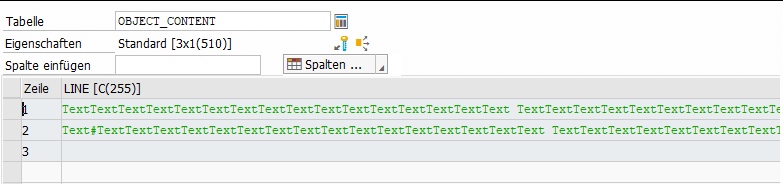
The comment is also added as SOFM-Object (SAP-Office-Document) to the Workitem. Just check the table subcontainer_all_objects, which is also returned by the previous function module, for attribute _ATTACH_COMMENT_OBJECTS (or _ATTACH_OBJECTS or DECISION_NOTE or _DECISION_COMMENT). With function module SO_DOCUMENT_READ_API1 you can then get the actual comment.
    " Read the _ATTACH_COMMENT_OBJECTS element
    " There can be more than one comment, just take the last one
    LOOP AT subcontainer_all_objects INTO DATA(comment_object) WHERE element = '_ATTACH_COMMENT_OBJECTS'.
    ENDLOOP.

    CHECK comment_object-value IS NOT INITIAL.

    " Read the SOFM Document
    CALL FUNCTION 'SO_DOCUMENT_READ_API1'
      EXPORTING
        document_id    = CONV so_entryid( comment_object-value )
      TABLES
        object_content = object_content
      EXCEPTIONS
        OTHERS         = 1.

    et_decision_note = object_content.

* Or create a single string
*    LOOP AT object_content INTO DATA(lv_soli).
*      CONCATENATE text lv_soli-line INTO text.
*    ENDLOOP.
This SOLI_TAB can be passed to a default mail step and will keep line breaks etc.
Update 02.06.2026: A shorter approach can be the following.
    DATA(lo_workitem) = NEW /iwwrk/cl_wf_read_workitem( iv_wiid ).

    lo_workitem->get_wi_appr_comments( IMPORTING et_wi_appr_comm = DATA(lt_wi_appr_comm)
                                                 ev_return_code  = DATA(lv_return_code) ).

    READ TABLE lt_wi_appr_comm INTO DATA(ls_decision) WITH KEY obj_name = 'COMMENT' obj_type = 'TXT'.

    DATA(soli_tab) = cl_document_bcs=>string_to_soli( ls_decision-text ).
But string to soli_tab is always a bit risky when having a text with >255 characters (see here).