
Recently I bought a new car and the previous owner replaced the standard board computer with a tablet running Android Auto. On my phone, I use the popular VLC player to listen to music and AntennaPod for podcasts. To my surprise, both apps did not appear in the Android Auto Launcher after I connected my phone. After a quick search on Perplexity, I found out that the most likely reason is that the apps weren’t installed via the Google Play Store. That made sense in my case, since both apps were installed via the F-Droid store.
It seems you can’t make just any app of your smartphone available for Android Auto, but at least apps that are generally supported by Android Auto can be made visible via the developer settings of Android Auto. To do this, open the Android Auto settings on your smartphone by searching for Android Auto in your phone’s settings. Scroll all the way down to the Information section.
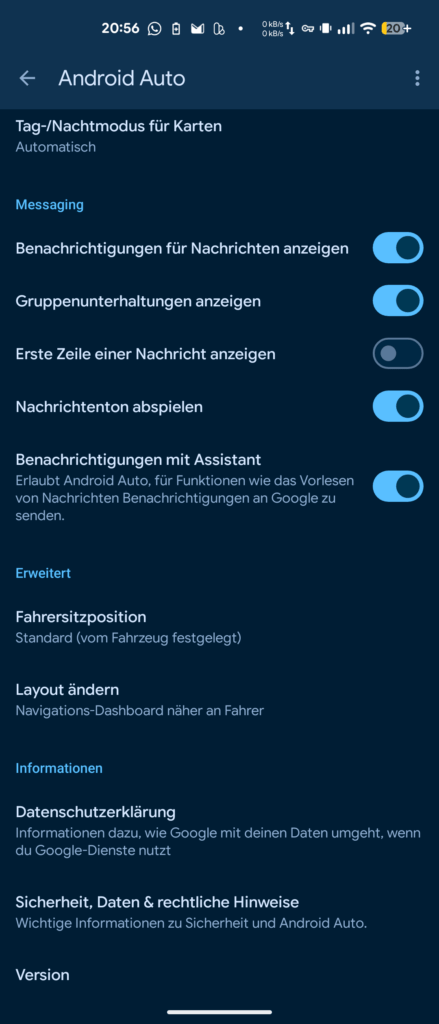
Tap Version ten times and confirm “Allow development settings”. After that, you can find the developer options in the three-dot menu on the top right.
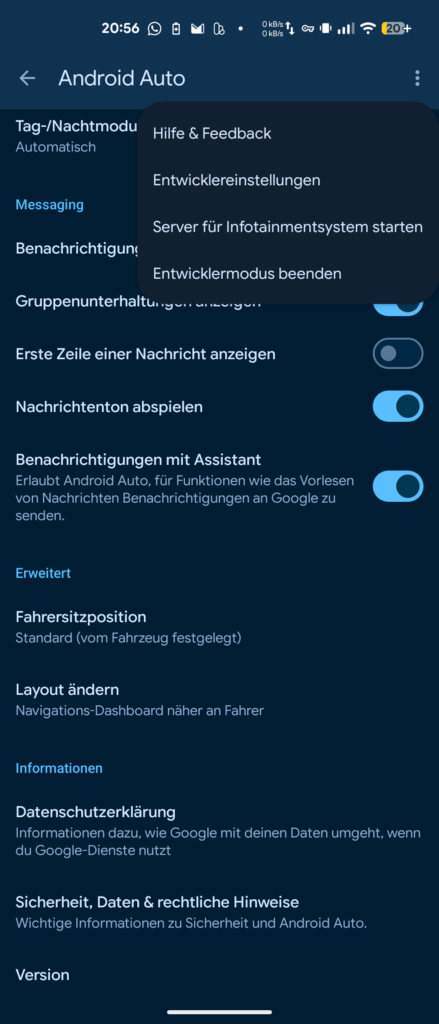
Here search for unknown sources (“Unbekannte Quellen” in german) and tick the checkbox.
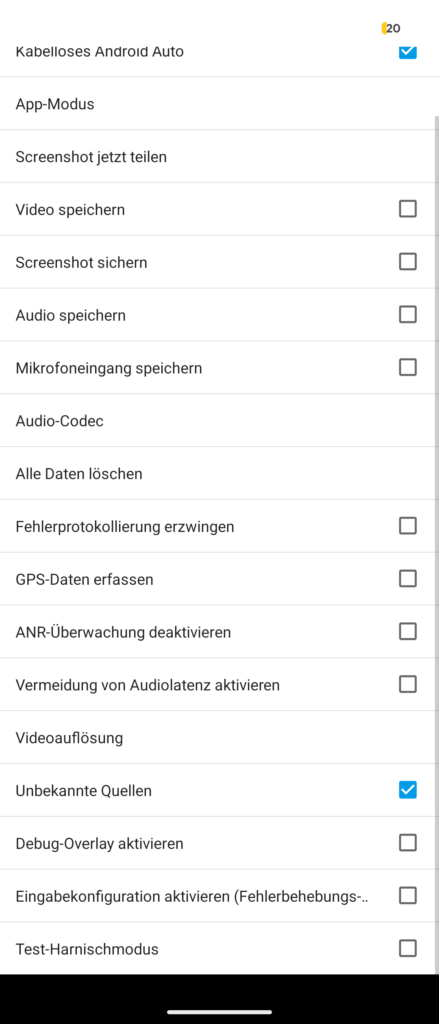
After that, additional apps suddenly appeared in the Android Auto Launcher settings that I could add, including VLC Player and AntennaPod.