
I’ve been using my Proxmox HTPC for six years now. All this time, I’ve been watching YouTube via YouTube Leanback in a full-screen Firefox Browser window. This is most of the time working fine, but from time to time you have to change the user-agent if something stops working or the video quality is poor for some reason.
And while I was once again searching for a new user-agent which improves the YouTube Leanback experience, I randomly stumbled on VacuumTube. This was something I always wanted/needed for my HTPC! Using Firefox was working fine, and I could also use all Firefox Extensions that exists for YouTube. But it also has drawbacks, like keyboard shortcuts were not working well (depending on the user-agent used) or, as mentioned already, the video quality is sometimes limited. Therefore, I gave VacuumTube a try and must say, since then it is working perfectly! With version v1.4.0 it even got SponsorBlock integrated! Right now, there is really no feature missing for me.
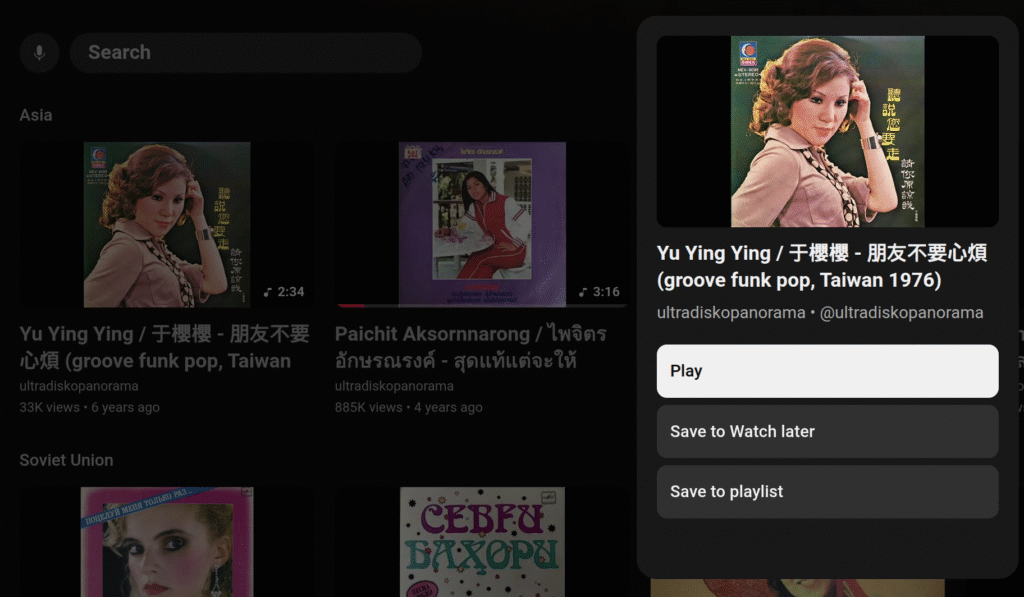
What I recently found is, that you can save videos to your Watch later playlist without starting to play the actual video. Simply long press the enter key on your keyboard and select “Save to Watch later” on the menu that appears. At least in Firefox, none of the user agents I tested were able to do that. Really cool!
Another handy feature is that you can turn the subtitles on and off using the ‘C’ key.